Connecting outdoor smart lights to WiFi can seem intimidating. However, with expert insights, the process becomes straightforward. Tom Harris, a leading expert in smart home technology, once said, "Proper WiFi connection is the backbone of any smart outdoor lighting system." This highlights the importance of a stable connection for optimal functionality.
When considering how do you connect outdoor smart lights to wifi, several factors come into play. Ensuring your WiFi signal reaches the intended area is crucial. Weak signals can result in unreliable performance. Outdoor lights often require installation away from the main router, and obstructions can disrupt connectivity.
It’s also essential to choose lights that are compatible with your existing network. This helps avoid future frustration. Many products come with apps that guide you through the setup process. Yet, even with instructions, mistakes can happen. You may find yourself troubleshooting connectivity issues or dealing with app challenges. Embracing these learning moments can enhance your understanding of smart technology. Connecting outdoor smart lights to WiFi may not be perfect, but tackling these challenges can lead to a rewarding experience.
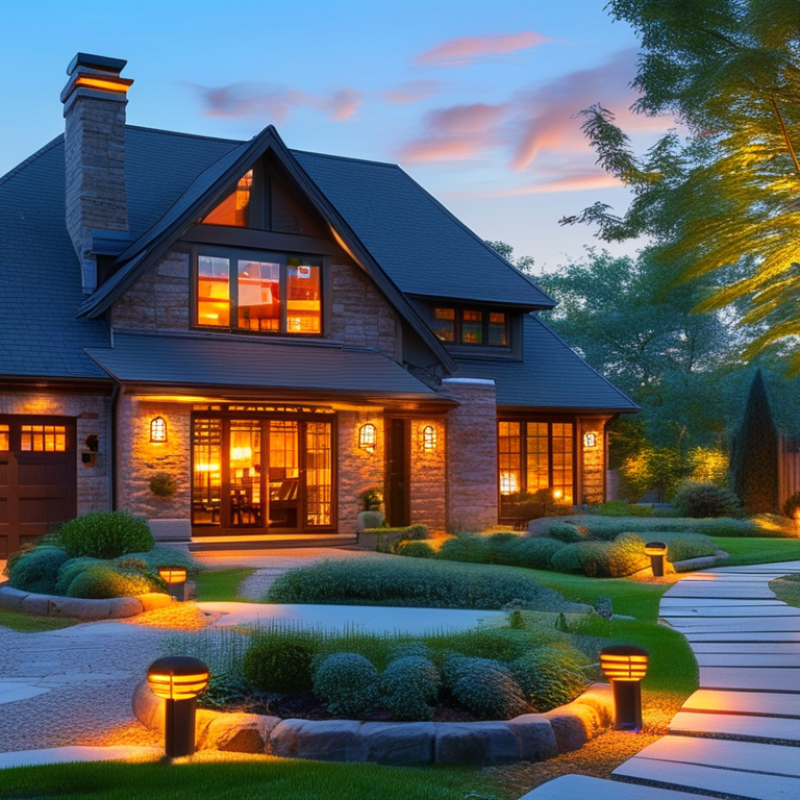
Understanding Outdoor Smart Lights and Their Wifi Requirements
Outdoor smart lights are becoming increasingly popular for homeowners looking to enhance their outdoor spaces. They offer convenience, security, and ambiance. However, understanding their WiFi requirements is crucial for seamless operation. A report by MarketsandMarkets indicates that the smart lighting market is projected to grow to $25.5 billion by 2026, showcasing a significant demand for these products.
When selecting outdoor smart lights, consider their range and connectivity. Reliable WiFi coverage is essential, especially if your lights are far from your router. Many outdoor lights require at least a 2.4 GHz connection, while some advanced systems may support 5 GHz. If your WiFi signal is weak, it could lead to disconnects or delayed responses. Investing in a WiFi extender might be beneficial for extensive yards.
Tips for installation: Ensure the lights are within range of your router. Use a mobile app to check your WiFi strength at the installation site. Additionally, look for lights with easy setup features. Some devices include a guided installation process. If you encounter issues connecting, try resetting the lights as per the manufacturer's guidelines. Remember, not all WiFi networks are created equal. Regular network maintenance can help improve device connectivity and performance.
Selecting the Right Outdoor Smart Lights for Your Needs
When selecting outdoor smart lights, consider the different types available. According to a recent report by MarketsandMarkets, the smart lighting market is projected to reach $25.4 billion by 2025. This growth is driven by increased consumer demand for energy-efficient and programmable lighting solutions. Identify your specific lighting needs, such as security, ambiance, or path illumination.
Choosing the right type of bulb matters too. LEDs are often favored for their longevity and efficiency. They can last up to 25,000 hours and use at least 75% less energy than traditional bulbs. Also, consider the brightness. Measured in lumens, lights range from soft 300 lumens for relaxation spaces to 800 lumens for security areas.
Tip: Before purchasing, measure your outdoor spaces. This will help you determine how many lights you need and where to place them.
Another essential factor is connectivity. Look for lights with robust Wi-Fi capabilities. Wi-Fi-enabled lights can easily integrate into your existing smart home setup. Some may require a hub, while others connect directly to your Wi-Fi network. Checking customer reviews can reveal their reliability. Smart lights should enhance convenience, but not all connectivity options will suit your lifestyle. Reassess your needs if you find frequent disruptions in service.
Outdoor Smart Lights Wifi Connectivity Comparison
This chart displays the key features of outdoor smart lights in relation to WiFi connectivity, including WiFi range, installation time, cost, and brightness. Understanding these dimensions can help you select the right outdoor smart lights suited for your needs.
Step-by-Step Guide to Setting Up Wifi for Smart Lights
Setting up outdoor smart lights requires a reliable WiFi connection. Follow these steps to ensure a smooth setup for your smart lighting system.
Begin by positioning your WiFi router appropriately. A central location can help enhance the signal strength. Ensure there are minimal obstructions, like walls or trees, between the router and the lights. Remember, distance impacts connectivity. If your lights are far from the router, you might face issues.
Next, download the companion app for your smart lights. This app usually guides the setup process. Follow the on-screen instructions to connect the lights to your home network. Pay close attention to the WiFi password. A mistake here can lead to frustration later.
Here are some useful tips:
- Check your network's compatibility with smart devices. Some devices may not function on older networks.
- Often, a simple restart of your router can improve connectivity.
- If issues arise, resetting the smart lights can help. Follow the manufacturer’s instructions carefully for this.
Don't forget to regularly check for firmware updates on your smart lights. Keeping the software up to date ensures they work effectively. Engage with online communities for troubleshooting tips and shared experiences. Trust the process, and enjoy your enhanced outdoor space!
Troubleshooting Common Wifi Connectivity Issues with Smart Lights
Troubleshooting common WiFi connectivity issues with outdoor smart lights can be quite challenging. According to a report by the Consumer Technology Association, around 38% of smart home devices fail to connect due to poor WiFi signals. Understanding these issues can save time and frustration for users.
Interference from nearby devices is a frequent culprit. Items like security cameras or microwaves can disrupt WiFi signals. Make sure your outdoor lights are within range of your router. Obstacles such as trees or walls can diminish signal strength significantly. If your lights frequently disconnect, try moving your router or investing in a WiFi extender.
Here are some tips:
- Check for firmware updates on your smart lights. Outdated software can cause connectivity problems.
- Use the 2.4 GHz frequency if your outdoor lights support it. This band offers better range than the 5 GHz.
- Consider resetting your devices if they continue to have issues. Sometimes, a simple reboot helps.
Lastly, keep your network secure. Weak passwords can lead to unauthorized access, resulting in connectivity issues. Regularly check your router settings to maintain optimal performance.
Enhancing Your Outdoor Smart Lights Experience with Automation
Outdoor smart lights can transform your exterior spaces, offering both functional and aesthetic benefits. Research shows that automating your outdoor lighting can enhance security and convenience. For instance, homes with smart lighting are less likely to be targeted by intruders. A study by the Home Automation Association found that 76% of homeowners feel safer with motion-sensor lights.
Automation allows for customized light schedules. You can set your outdoor lights to turn on at dusk and off at dawn automatically. This contrasts with manual operation, which may lead to inconsistent usage. According to a recent report, homes using smart lighting systems save up to 30% on energy costs compared to traditional lighting. This efficiency results from lights only operating when needed.
However, integrating these smart technologies can pose challenges. Connectivity issues frequently arise, causing frustration. Many users report difficulties connecting their lights to WiFi networks, leading to inconsistent performance. Additionally, not all outdoor environments are equally suited for smart devices. Solutions may require extra equipment like WiFi extenders or specialized hubs.
FAQS
: Consider your specific needs like security or ambiance.
LEDs are preferred for their longevity and energy efficiency.
Use 300 lumens for relaxation and 800 lumens for security areas.
Measure your outdoor spaces to decide the quantity and placement.
Ensure they have strong Wi-Fi capabilities for easy integration.
Position your Wi-Fi router centrally, reduce obstructions, and download the app.
Reassess your needs and consider resetting the lights or your router.
Automation provides customized schedules and can improve security and energy savings.
Connectivity issues and the need for additional equipment like Wi-Fi extenders may arise.
Regularly check for firmware updates to ensure optimal performance.
Conclusion
In the digital age, outdoor smart lights offer both convenience and security, but a common question arises: how do you connect outdoor smart lights to wifi? To begin, it's essential to understand the various types of outdoor smart lights available and their specific wifi requirements. Choose the lights that suit your needs based on features such as brightness, range, and compatibility with other smart devices.
Once you've selected the right lights, follow a simple step-by-step guide to set up the wifi connection, ensuring a seamless integration into your outdoor space. If you encounter issues, troubleshooting common connectivity problems can help restore functionality. Finally, enhancing your outdoor ambiance with automation can transform your experience, allowing you to control lighting schedules and settings effortlessly. With these insights, connecting outdoor smart lights to wifi becomes an accessible task for everyone.

